Build a RAG Agent with LangChain: Complete Tutorial

Build a Retrieval-Augmented Generation agent with LangChain in Python. Embeddings, vector store, retriever, and answer generation with full code.
Building a RAG Agent with LangChain
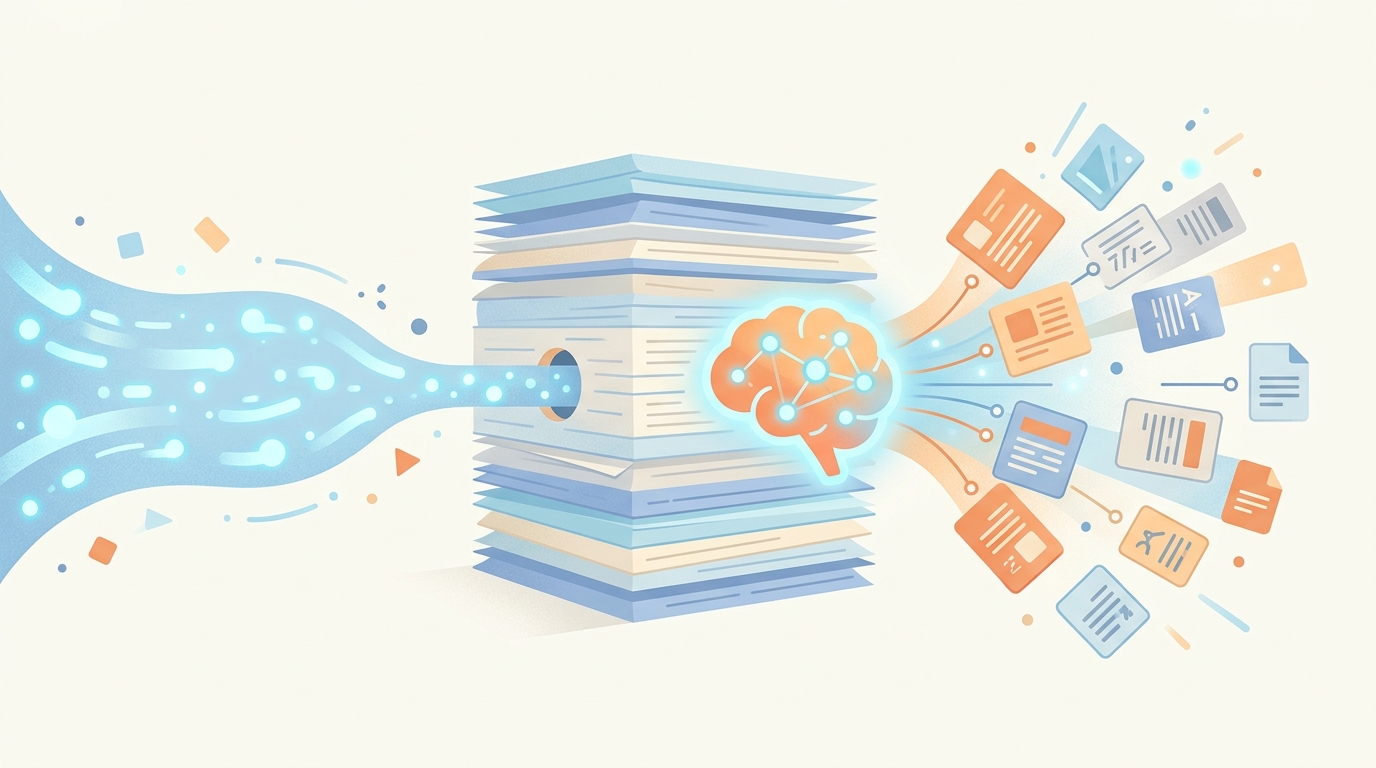
Large language models are impressive, but they have a fundamental limitation: their knowledge is frozen at their training cutoff date, and they can’t access your private data. Retrieval-Augmented Generation (RAG) solves this by giving your AI agent the ability to search through documents and use that information to answer questions accurately.
In this tutorial, we’ll build a complete RAG agent using LangChain that can ingest documents, store them in a vector database, and answer questions based on their content.
What You’ll Learn
By the end of this tutorial, you’ll be able to:
- Set up a vector database for document storage
- Chunk and embed documents for efficient retrieval
- Build an agent that retrieves relevant context before answering
- Handle follow-up questions with conversation memory
Prerequisites
Before we start, make sure you have:
- Python 3.9 or higher installed
- OpenAI API key for embeddings and the LLM
- Basic Python knowledge including working with files
Estimated time: 30 minutes
Step 1: Setting Up Your Environment
Create a new project directory and install the required packages:
mkdir rag-agent
cd rag-agent
python -m venv venv
source venv/bin/activate  # On Windows: venv\Scripts\activate
Install the dependencies:
pip install langchain langchain-openai langchain-community chromadb python-dotenv
We’re using ChromaDB as our vector database because it’s lightweight and requires no external setup. For production, you might consider Pinecone, Weaviate, or PostgreSQL with pgvector.
Create a .env file:
OPENAI_API_KEY=your-api-key-here
Checkpoint: Run pip list | grep langchain to verify the packages installed correctly.
Step 2: Understanding RAG Architecture
Before we write code, let’s understand how RAG works:
- Ingestion: Documents are split into chunks and converted to embeddings (numerical representations)
- Storage: Embeddings are stored in a vector database with the original text
- Retrieval: When a question comes in, it’s converted to an embedding and similar chunks are found
- Generation: The LLM receives the question plus retrieved context to generate an accurate answer
The key insight is that embeddings capture semantic meaning. Two sentences about the same topic will have similar embeddings, even if they use different words. This allows the system to find relevant information even when the question doesn’t exactly match the document text.
Step 3: Building the Document Ingestion Pipeline
Create a file called rag_agent.py:
import os
from dotenv import load_dotenv
from langchain_openai import OpenAIEmbeddings, ChatOpenAI
from langchain_community.vectorstores import Chroma
from langchain.text_splitter import RecursiveCharacterTextSplitter
from langchain_core.documents import Document

load_dotenv()

# Initialize embeddings model
embeddings = OpenAIEmbeddings(model="text-embedding-3-small")

# Configure text splitter
text_splitter = RecursiveCharacterTextSplitter(
    chunk_size=500,
    chunk_overlap=50,
    separators=["\n\n", "\n", ". ", " ", ""]
)

def ingest_documents(texts: list[str], metadatas: list[dict] = None) -> Chroma:
    """Split texts into chunks and store in vector database."""

    # Create Document objects
    documents = []
    for i, text in enumerate(texts):
        metadata = metadatas[i] if metadatas else {"source": f"doc_{i}"}
        documents.append(Document(page_content=text, metadata=metadata))

    # Split into chunks
    chunks = text_splitter.split_documents(documents)
    print(f"Split {len(texts)} documents into {len(chunks)} chunks")

    # Create vector store
    vectorstore = Chroma.from_documents(
        documents=chunks,
        embedding=embeddings,
        persist_directory="./chroma_db"
    )

    return vectorstore
The RecursiveCharacterTextSplitter is smart about splitting. It tries to split on paragraph boundaries first, then sentences, then words. The chunk_overlap ensures context isn’t lost at chunk boundaries.
Step 4: Creating the Retrieval Chain
Now let’s build the retrieval component that finds relevant chunks:
from langchain.chains import create_retrieval_chain
from langchain.chains.combine_documents import create_stuff_documents_chain
from langchain_core.prompts import ChatPromptTemplate

# Initialize the LLM
llm = ChatOpenAI(model="gpt-4o-mini", temperature=0)

def create_rag_chain(vectorstore: Chroma):
    """Create a RAG chain that retrieves context and generates answers."""

    # Create retriever (returns top 3 most similar chunks)
    retriever = vectorstore.as_retriever(
        search_type="similarity",
        search_kwargs={"k": 3}
    )

    # Define the prompt template
    prompt = ChatPromptTemplate.from_messages([
        ("system", """You are a helpful assistant that answers questions based on the provided context.

Use the following context to answer the user's question. If the context doesn't contain relevant information, say so clearly rather than making up an answer.

Context:
{context}"""),
        ("human", "{input}")
    ])

    # Create the chain
    question_answer_chain = create_stuff_documents_chain(llm, prompt)
    rag_chain = create_retrieval_chain(retriever, question_answer_chain)

    return rag_chain
The create_stuff_documents_chain “stuffs” all retrieved documents into the prompt. For longer contexts, you might use map-reduce or refinement strategies, but stuffing works well for most use cases.
Step 5: Adding Conversation Memory
RAG agents are more useful when they remember previous questions. Let’s add conversation history:
from langchain_core.prompts import MessagesPlaceholder
from langchain_core.messages import HumanMessage, AIMessage

def create_conversational_rag_chain(vectorstore: Chroma):
    """Create a RAG chain with conversation memory."""

    retriever = vectorstore.as_retriever(search_kwargs={"k": 3})

    prompt = ChatPromptTemplate.from_messages([
        ("system", """You are a helpful assistant that answers questions based on the provided context and conversation history.

Context from documents:
{context}

Use the context to answer questions. Reference the conversation history for follow-up questions. If you cannot answer from the context, say so clearly."""),
        MessagesPlaceholder(variable_name="chat_history"),
        ("human", "{input}")
    ])

    question_answer_chain = create_stuff_documents_chain(llm, prompt)
    rag_chain = create_retrieval_chain(retriever, question_answer_chain)

    return rag_chain

class ConversationalRAGAgent:
    """RAG agent that maintains conversation history."""

    def __init__(self, vectorstore: Chroma):
        self.chain = create_conversational_rag_chain(vectorstore)
        self.chat_history = []

    def ask(self, question: str) -> str:
        """Ask a question and get an answer with context."""
        result = self.chain.invoke({
            "input": question,
            "chat_history": self.chat_history
        })

        # Update history
        self.chat_history.append(HumanMessage(content=question))
        self.chat_history.append(AIMessage(content=result["answer"]))

        return result["answer"]

    def get_sources(self, question: str) -> list[str]:
        """Get the source documents used for a question."""
        result = self.chain.invoke({
            "input": question,
            "chat_history": []
        })
        return [doc.page_content for doc in result["context"]]
Step 6: Putting It All Together
Here’s a complete example that demonstrates the full RAG workflow:
# Example usage
if __name__ == "__main__":
    # Sample documents (in practice, load from files)
    documents = [
        """AI agents are autonomous systems that can perceive their environment,
        make decisions, and take actions to achieve specific goals. Unlike simple
        chatbots, agents can use tools, maintain state, and execute multi-step plans.""",

        """LangChain is a framework for developing applications powered by language
        models. It provides tools for building chains, agents, and retrieval systems.
        The framework supports multiple LLM providers including OpenAI and Anthropic.""",

        """Vector databases store data as high-dimensional vectors, enabling semantic
        search. Popular options include Pinecone, Weaviate, ChromaDB, and pgvector.
        They are essential for RAG applications because they allow finding similar
        content based on meaning rather than exact keyword matches."""
    ]

    # Ingest documents
    vectorstore = ingest_documents(documents)

    # Create agent
    agent = ConversationalRAGAgent(vectorstore)

    # Ask questions
    print("Q: What is LangChain?")
    print(f"A: {agent.ask('What is LangChain?')}\n")

    print("Q: What providers does it support?")
    print(f"A: {agent.ask('What providers does it support?')}\n")

    print("Q: Why are vector databases important for RAG?")
    print(f"A: {agent.ask('Why are vector databases important for RAG?')}")
Run with python rag_agent.py and watch your agent answer questions using the ingested documents.
Common Pitfalls
Chunks Too Large or Small
Symptom: Poor retrieval quality—either too much irrelevant information or missing context.
Solution: Experiment with chunk_size. Start with 500-1000 characters. Larger chunks provide more context but may include irrelevant content. Smaller chunks are more precise but may lose context.
Hitting Token Limits
Symptom: Errors about maximum context length when retrieving many documents.
Solution: Reduce k in retriever search_kwargs, or use a different chain strategy like map-reduce for summarizing many documents.
Embeddings Don’t Match Well
Symptom: Retrieved chunks aren’t relevant to the question.
Solution: Try a different embedding model. OpenAI’s text-embedding-3-large is more accurate but more expensive. Also ensure your chunks contain complete thoughts—don’t split mid-sentence.
Next Steps
You’ve built a functional RAG agent. Here’s how to extend it:
- Load real documents: Use LangChain’s document loaders for PDFs, web pages, or databases
- Add metadata filtering: Filter retrieval by source, date, or category
- Implement hybrid search: Combine semantic search with keyword matching
- Deploy as an API: Wrap your agent in a FastAPI endpoint for production use
Key Takeaways
- RAG combines retrieval with generation to ground LLM responses in your data
- Chunk size and overlap significantly impact retrieval quality
- Vector databases enable semantic search based on meaning, not keywords
- Conversation history allows natural follow-up questions
- The retrieval step is critical—good retrieval leads to good answers
RAG is one of the most practical AI agent patterns because it solves the knowledge freshness problem without fine-tuning. As your document collection grows, your agent automatically becomes more knowledgeable.
Want to learn more about AI agents? Check out our LangGraph tutorial, explore Understanding Agent Memory Systems, or see our Complete Guide to AI Agent Frameworks for framework comparisons.
Related Posts

LangChain @tool Decorator: Build Custom Agent Tools
from langchain.tools import tool — build custom LangChain agent tools with the @tool decorator. Type hints, docstrings, async, error patterns.

LangChain vs LlamaIndex: Which Framework for Building AI Agents?
A comprehensive comparison of LangChain and LlamaIndex for AI agent development, covering architecture, data handling, agent capabilities, and when to use each framework
Framework Deep Dive: LangChain - The Foundation of Modern AI Agents
An in-depth exploration of LangChain's architecture, components, and best practices for building production-ready AI agents