Every manager bringing AI into the company hears the same first step: get your people on an AI assistant. Chances are your team already pays for one — ChatGPT, Claude, Microsoft Copilot, or a mix of all three. The question worth asking before you standardize is quieter: what do those assistants actually know about your company?
The honest answer is less than you might hope, and less than your team assumes. Each of them knows what one employee types or pastes into it, plus whatever tools an administrator has connected. Everything else — the tickets, the deals, the invoices, the history living in people’s heads — stays outside. Here is what each one knows today, what they all leave out, and how to close the gap.
What each assistant knows today
ChatGPT. OpenAI’s plan for teams, ChatGPT Business, has a standard seat priced at $25 per user per month billed monthly, or $20 per user per month billed annually, per OpenAI’s help center as of this writing. Its “company knowledge” feature lets ChatGPT search the apps you connect — OpenAI names Slack, SharePoint, Google Drive, GitHub, HubSpot and Asana among them — and answer with citations that link back to the source.
Claude. Claude Enterprise starts around $20 per user per month billed annually, with a 20-seat minimum, and usage is billed separately on top at Anthropic’s standard API rates, per Anthropic’s pricing and help pages as of this writing. It connects to Google Drive, Gmail, Google Calendar, GitHub, Microsoft 365 and Slack, and Anthropic states that company data is not used to train its models by default.
Microsoft Copilot. Copilot is paid as part of a Microsoft 365 license: Business Standard with Copilot is $23.50 per user per month paid yearly, and Business Premium with Copilot is $32 per user per month paid yearly, per Microsoft’s pricing page as of this writing. It answers grounded in your Microsoft work data — Outlook email, Teams chats, SharePoint files, meetings — because that is the world it is built inside.
All three are genuinely good at what they do: reading what you hand them and answering from it, drafting, summarizing, reasoning over the material in a single conversation. The limits are not in the models. They are in what reaches the model in the first place.
What they all leave out
Whichever assistant you choose, three gaps remain.
First, they remember a person, not the company. Every conversation is one employee typing and pasting. What one person figures out this week is not there for the next person next week, because nothing carries between sessions. The assistant helps each worker individually but holds no shared memory that outlasts the individual.
Second, the connections are separate and optional. Each tool is connected by whoever has admin rights, and each connection covers only that one tool. Your tickets sit in the help desk, your conversations in the inbox, your invoices in a folder somewhere. An assistant sees only what someone deliberately connected, and no assistant reaches across all of your tools at once by default.
Third, nothing stays current on its own. A wiki is only as good as its last edit, and in most companies the real knowledge is never written down at all — it is “ask the person who has done this before.” That knowledge walks out when the person does.
So the practical decision is not which assistant to standardize on. It is whether your company keeps its own memory in one place that everyone — every person, and every assistant — can ask.
Put your company’s data in one place
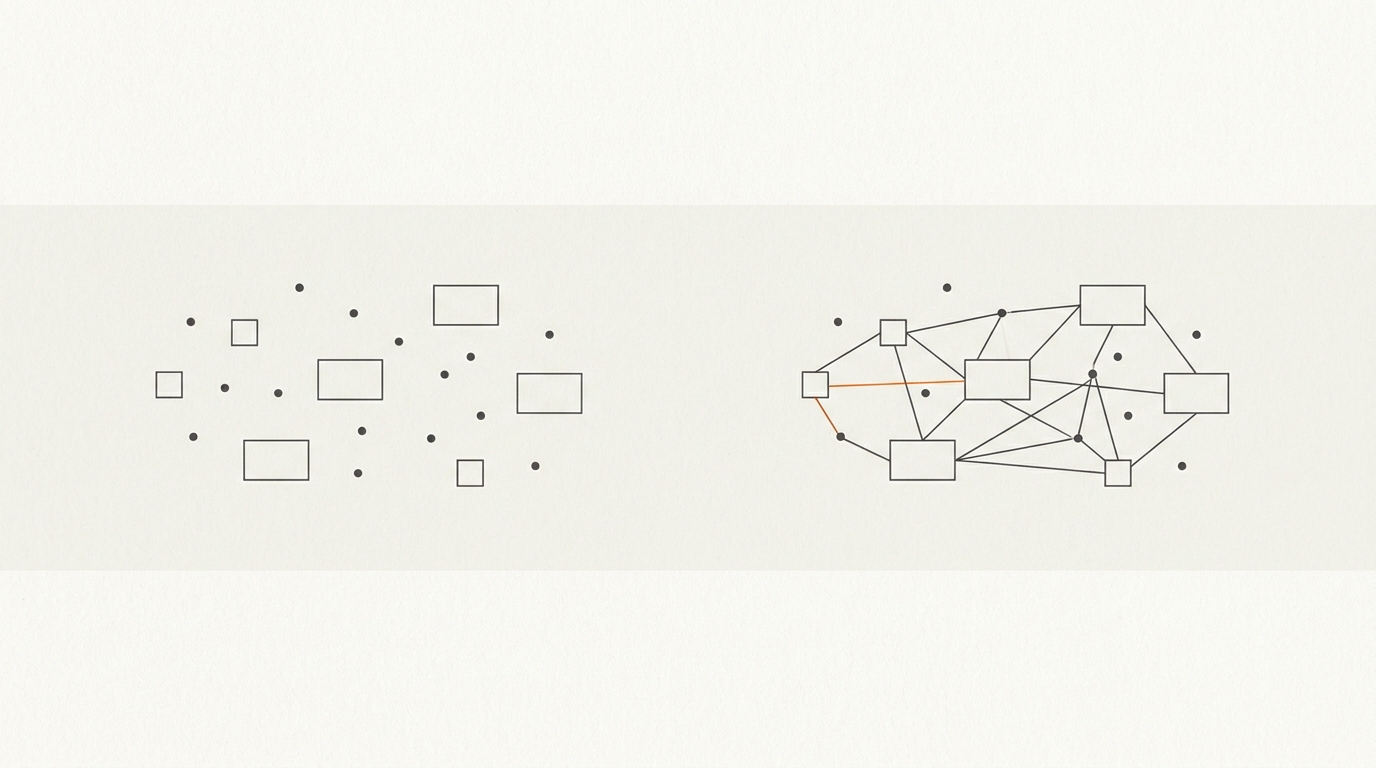
Company Brain is the answer to that gap. You connect the tools your company already works in — your help desk, your CRM, your inbox, your shared drive, and the finance and project tools you use — and it brings the tickets, conversations, deals and documents in them together into one private knowledge graph, kept up to date.
Then your team asks questions in plain language and gets an answer drawn from everything your company knows, with a link to each record it used. Because it reads from the tools where the work happens, it stays current without anyone maintaining it. When someone moves on, the company’s memory stays behind, and a new hire can ask it on day one.
Two things set it apart from adding another chat tool. First, it is private to your company: your knowledge graph is kept apart from every other company’s, so a question your team asks is answered from your records alone, and you sign in to each tool yourself so turion never sees your passwords. Second, it works with the assistants your team already uses — connect Claude, ChatGPT or Microsoft Copilot to the company brain, and they answer from your company’s records instead of from what one person remembered to paste in.
Pricing is simple: free with your first tool connected, and each additional tool is $20 a month — so a company with two tools connected pays $20 a month.
The step after answers: routine decisions
Bringing the data into one place does more than answer questions. Once your records are gathered in one knowledge graph, the same records can power models that read your invoices, contracts and messages, and answer the routine yes-or-no questions your staff answer every day — is this refund within policy, how urgent is this ticket — with a confidence the company sets. That is what a decision model does, and it is the move from answers to routine decisions, in steps.
It only becomes possible once the data is gathered. A model cannot learn your refund policy if the policy and its past decisions live in three tools and two people’s heads.
Where Company Brain fits
If the problem you are solving is individual productivity — one person drafting and summarizing faster — the assistant your team already pays for is the right tool, and it is worth keeping.
If the problem is that the company as a whole cannot find what it already knows — a new hire spends months getting up to speed, answers depend on who is in the room, and the same question gets answered three different ways — then start with the data, not with another assistant. Connect the tools where work already happens, so your company’s knowledge lives in one private place that stays current on its own, answers with links to the records it used, and keeps what your people know when they leave.